Razer AVA Local vs Cloud: The System That Decides Where Your AI Runs
Razer AVA can process its AI on your own PC or on remote servers. The difference isn't just technical — it affects your privacy, response speed, and whether you need a high-end GPU to get the most out of it. Here's everything you need to know before buying.
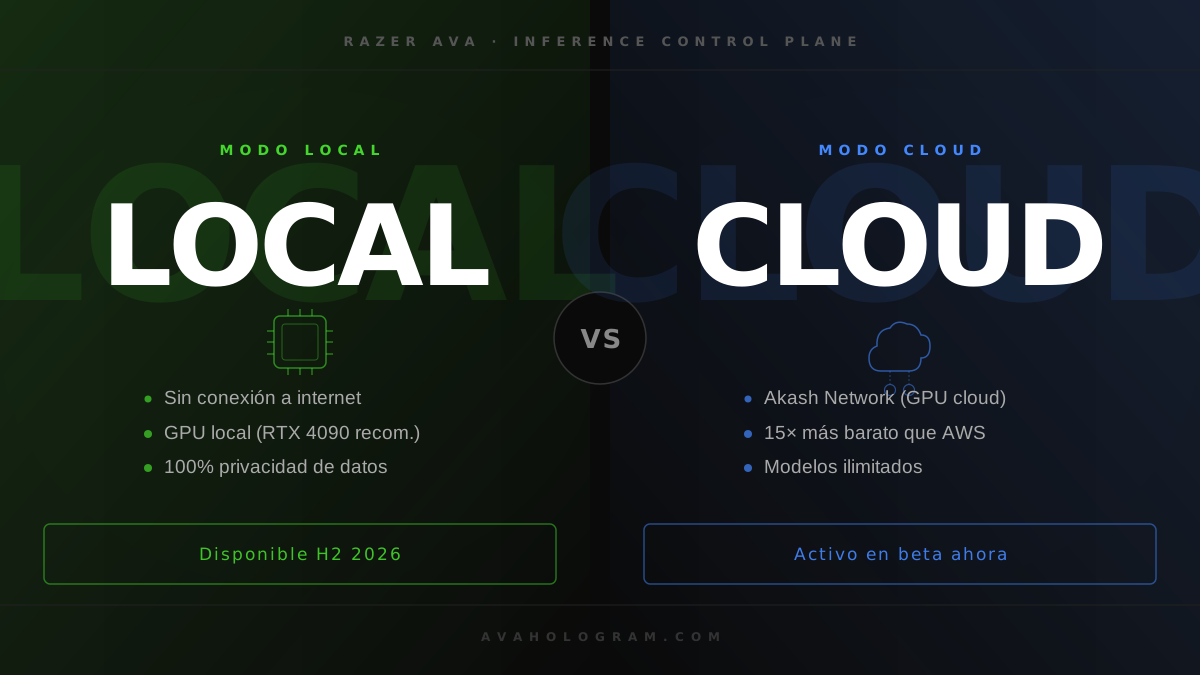
When Razer unveiled AVA (Project AVA (Razer AVA)) at CES 2026, many assumed it would be 100% cloud-dependent — basically an Amazon Echo with a hologram. The reality is more interesting: Razer AVA uses a hybrid system that can run AI locally on your PC, delegate to cloud servers, or do both simultaneously depending on what each task requires.
01.Two Modes, One AI: What Local vs Cloud Actually Means
Razer AVA's intelligence runs on language models and multimodal models — the same types of models behind ChatGPT or Gemini. The key difference is where those models run.
Local Mode
Models run on your GPU. Your PC handles inference. Data never leaves your machine.
Tool: Razer AIKit
Cloud Mode
Models run on Razer's servers or Akash's GPU network. Your PC sends the request and receives the response.
Infrastructure: Razer / Akash Network
02.Local Mode: Razer AIKit on Your Hardware
Local mode is built on Razer AIKit, the free, open-source SDK Razer maintains on GitHub. Technically, it's a Docker container with vLLM, Ray, and LLaMA-Factory pre-configured — the same stack used by professional AI labs, packaged so you don't need to be an ML engineer to get it running.
In local mode, your GPU handles all inference. Razer doesn't receive your conversation data, there's no network latency, and there's no monthly subscription for this processing layer. It's the maximum privacy, minimum latency option.
Compatible Hardware (Local Mode)
RTX 5090
Optimal — maximum performance
RTX 4090
Recommended — smooth inference
RTX 4080 or below
Functional with lighter models
AIKit also supports ARM64 — including Razer Blade 16 (2026) and Blade 18 (2025).
During the AVA Mini campaign (April 2026), Razer deployed AIKit on RTX 4090 and RTX 5090 GPUs and processed over 11,000 image generations with an average latency of 3.24 seconds per image — the most concrete real-world reference we have for what consumer hardware can do with AIKit.
03.Cloud Mode: Unlimited Power Without the Hardware
Razer AVA's cloud mode doesn't work like traditional Amazon Web Services or Azure. Razer made a more interesting choice: Akash Network, a decentralized GPU marketplace where independent providers offer their hardware at a fraction of hyperscaler costs.
The result is cloud infrastructure at a fraction of conventional cost. Razer proved this with real numbers: image inference at $0.01 per generation versus the $0.03–$0.15 that standard cloud APIs charge. Up to 15x cheaper, with automatic scaling and zero manual interventions during the campaign.
$0.01
per inference (AIKit + Akash)
15×
cheaper than standard cloud
3.24 s
avg. latency per generation
Real data from the AVA Mini campaign — April 1-4, 2026. Source: Razer / Akash Network.
04.The Inference Control Plane: The Layer That Decides for You
The most important thing Razer announced at GDC 2026 isn't local mode or cloud mode separately — it's the Razer Inference Control Plane, the infrastructure layer that decides in real time which one to use for each request.
The system analyzes each interaction before processing it. Simple tasks — checking the time, adjusting volume, answering a short question — are resolved locally in milliseconds. Complex reasoning, extensive content generation, or tasks that exceed your GPU's capacity get delegated to cloud transparently.
"Running locally and in the cloud is important... certain tasks don't need to go to the cloud... it can simply query your system to know the time and respond."
— Quyen Quach, VP of Software, Razer (GDC 2026)
05.Quick Comparison: Local vs Cloud in Razer AVA
| Local Mode (AIKit) | Cloud Mode | |
|---|---|---|
| Privacy | Total — data stays on your PC | Data goes to external servers |
| Latency | Minimal (no network) | ~3 s (depends on connection) |
| Required hardware | RTX 4090 or better | Any PC |
| Works offline | Yes | No |
| Inference cost | $0 (electricity only) | Very low (Akash) |
| Model capacity | Limited by your VRAM | Practically unlimited |
| Setup | Docker + AIKit | Automatic |
06.Do You Need an RTX 4090 to Use Razer AVA?
This is the most common question circulating in gaming communities since local mode was announced. The short answer: not necessarily.
The Inference Control Plane is designed precisely so that Razer AVA works on modest hardware. If your PC can't handle local inference, AVA automatically delegates to cloud. The holographic device itself has no integrated GPU — it's the cylinder with the display and sensors. Processing power comes from your PC or the cloud.
That said, if you want full offline mode — no server dependency, maximum privacy, minimum latency — you do need serious GPU hardware. An RTX 4090 is the reasonable minimum for running mid-size language models locally with good performance. Not sure if your PC qualifies? We break down the full list of compatible CPUs and GPUs.
Note on the current beta: In the beta program (Razer Cortex, Windows 11/10), processing runs in cloud mode — beta data is wiped at program end and the system requires an active Razer ID. Full local mode is expected with the hardware launch in H2 2026.
07.Our Take: Does the Local vs Cloud Debate Actually Matter?
After analyzing the system architecture, our conclusion is that the local vs cloud debate is largely irrelevant for the average Razer AVA user — and very relevant for a specific profile.
For most buyers, the Inference Control Plane resolves the dilemma without you ever having to think about it. AVA just works. The extra cloud latency for complex tasks (in the 2-4 second range) doesn't break the experience of a holographic assistant whose primary function is contextual information, gaming support, and task automation.
Where it matters is in two specific scenarios:
If Privacy Matters to You
Work conversations, personal finances, home routines. If you don't want that data passing through external servers, you need local mode — and the GPU to support it. It's the only way to ensure your AI is truly yours.
If You're an Ecosystem Developer
Local AIKit is the development tool. If you want to build plugins, avatars, or custom behaviors for AVA, you need the toolkit running on your machine. In this case, the RTX 4090 stops being optional.
What impresses us most about Razer's approach is the bet on decentralized infrastructure (Akash) instead of relying on AWS or Azure. This isn't just a cost savings play — it's a signal that Razer doesn't want its product held hostage to hyperscaler pricing. If Amazon raises GPU cloud prices 40% in two years, Razer AVA users probably won't feel it.
The trade-off is that Akash's network, while proven in production during the AVA Mini campaign, is less predictable in terms of guaranteed availability than AWS or Google Cloud. Razer is betting on decentralization over enterprise SLAs — and that carries real risks for a mass-market consumer product where users expect their assistant to always be available.
Bottom line: for the average user, Razer AVA will work well without an RTX 4090 or technical know-how. For those who want real privacy or plan to build on the ecosystem, local mode with AIKit is the centerpiece — and it's worth getting your hardware ready before the H2 2026 launch.
Want to Set Up Local Mode?
avasdk.com has the complete technical guide to install and configure Razer AIKit, vLLM, and the local development environment step by step.
GO TO THE TECH ACADEMY