How to Join the Razer AVA Beta: Early Access, NDA, and What to Expect
The Razer AVA beta program is open and Q2 2026 invitations are rolling out right now. Here's everything you need to know before signing up: how the process works, what the NDA means, and what you'll actually be able to test if selected.

The beta is not access to the physical device — that arrives in the second half of 2026. It's access to AVA's agentic software on your Windows PC, through Razer Cortex. If you want to be among the first to test the capabilities Razer unveiled at GDC, this is how.
01.What Is the Razer AVA Beta, Exactly?
Razer has opened registration to test AVA's agentic capabilities before the hardware launch. Access is managed through Razer Cortex and lets selected testers explore autonomous workflows, third-party app integrations, and companion-to-companion coordination.
It's a time-limited program. When it ends, all data generated during the beta is erased. This isn't permanent access — it's a window for Razer to collect real feedback before going to market.
02.How to Sign Up: 4 Steps
Install Razer Cortex
Requires Windows 10 or 11 (64-bit). If you already have it installed, make sure it's updated to the latest version.
Go to the "AVA BETA" Section
Once inside Cortex, find the AVA Beta section. It appears directly in the app's main panel.
Verify System Requirements
The app automatically checks whether your PC meets the requirements before letting you proceed with registration.
Complete Your Registration
Fill in the form with your Razer ID and submit your application. Invitations are limited and sent by selection, not first-come-first-served.
03.The NDA: What It Means If You're Selected
If you receive an invitation, the first thing you'll need to do is sign a Non-Disclosure Agreement (NDA). Only after signing does beta access unlock in Razer Cortex.
The NDA covers what you see and test during the program. You won't be able to share screenshots, videos, or detailed descriptions of features you're testing before Razer announces them publicly.
This is standard practice for product betas of this kind. Razer wants detailed, direct feedback — not social media leaks that undermine the launch narrative.
04.What You'll Get to Test
The program gives access to AVA's agentic capabilities unveiled at GDC 2026: autonomous multi-step workflows, Spotify and third-party app integrations, schedule coordination, and complex task automation with a single instruction.
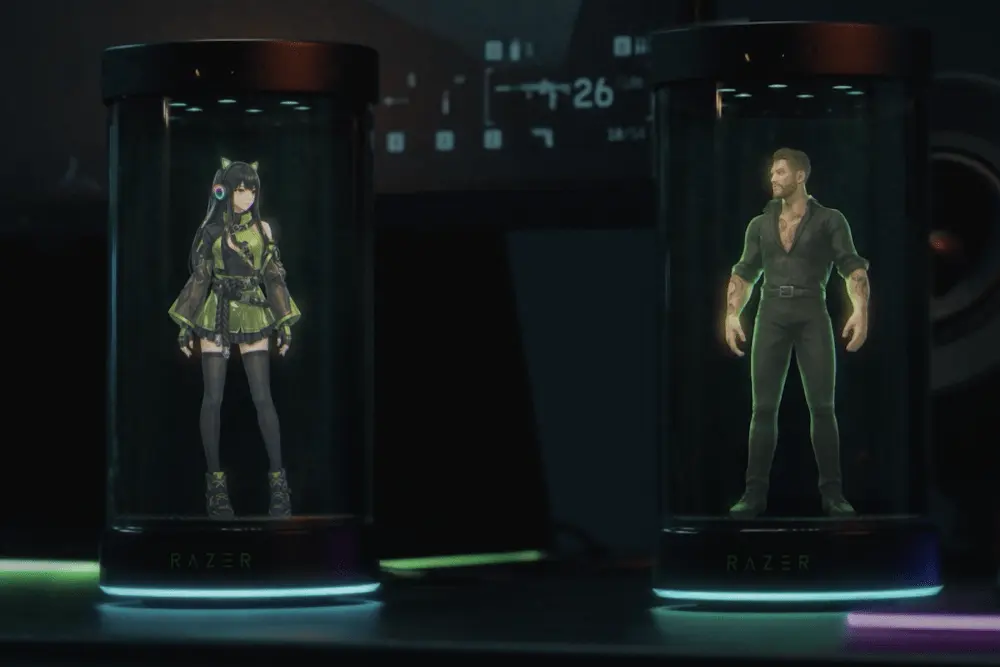
Everything runs in software, connected to your Windows PC through Razer Cortex. The 5.5-inch holographic device is still hardware arriving in the second half of the year, but the AI capabilities can be tested right now without it.
05.Timeline: From Beta to Launch
Q2 2026
Beta Invitations
First invitations going out now. Registration open in Razer Cortex.
H2 2026
Hardware Launch
The 5.5" holographic device hits the market in the second half of the year.
$20
Refundable Deposit
Reservation available now on razer.com. Applied to the final device price.
While you wait for your invitation, you can start setting up your development environment with our getting started guide for the AVA SDK — includes Docker setup, vLLM configuration, and connection examples.
Our Take
One nuance worth making clear, because it causes confusion: the beta doesn't give you access to the holographic device, but to the agentic software running on your PC through Razer Cortex. It's an important distinction to avoid disappointment. The NDA is the price of entry and is standard for this kind of program, but it also means we won't see independent reviews of the software until Razer decides to lift it. Our recommendation is to sign up if you want to be among the first to touch the agentic capabilities and don't mind the confidentiality commitment; if what interests you is the cylinder, this isn't for you, and you're better off securing the reservation and waiting.
Want to Be Among the First?
Check availability dates and how to reserve your unit while you wait for the hardware launch.